After so much of trail and error towards learning IOS development/distribution of app for enterprise, I made my first “HelloWord” app and successfully deployed it on the iphone via custom distribution medium.
I was excited to see that the app (Enterprise distribution not via app store) has finally got installed.
When I try to open the app, I am struck with a message

UnTrusted Enterprise Developer
To resolve this, it’s pretty simple to fix this issue.
- Go to Settings
 –> General
 - Go to Profiles & Device Management
- Tap on the Profile you want to work on (You could have more than 1 profile in this list)
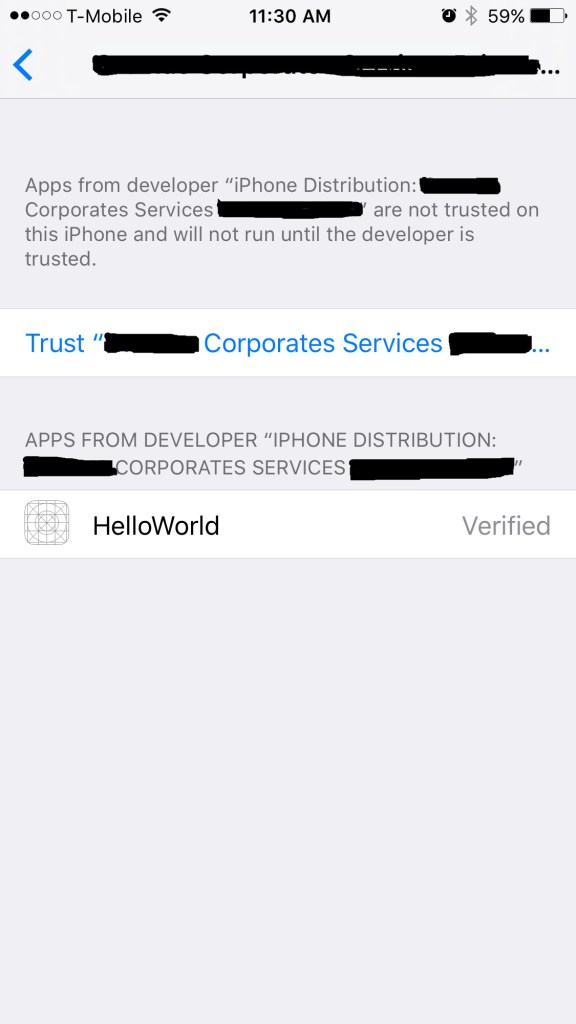
Trust Enterprise Developer
- Tap on Trust button.
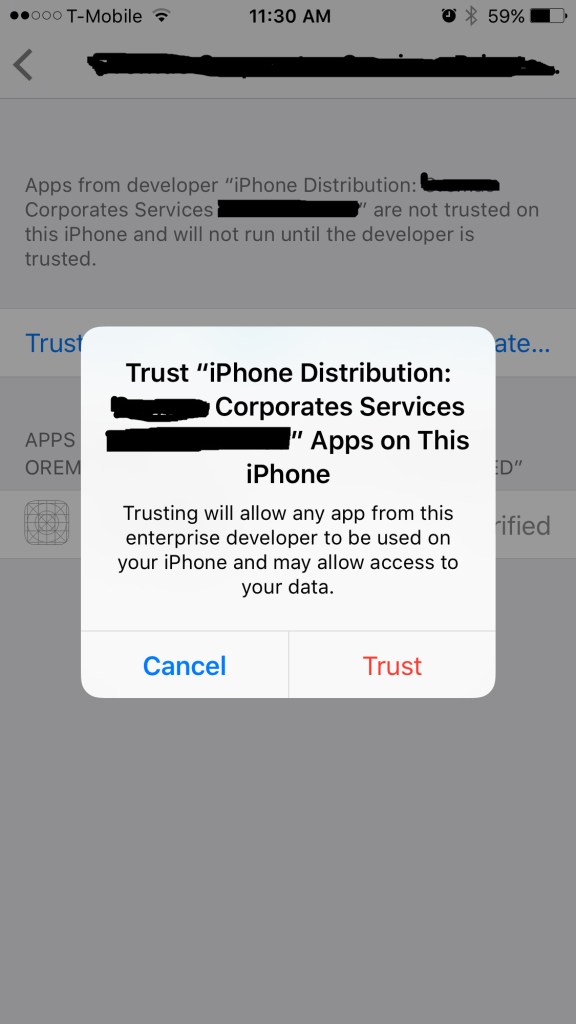
Trust Enterprise Developer


That’s it.
 Devakumar Sai Chinthala