In Microsoft SQL Server Reporting Services did you know that we can display html text as well ?
Why should you be even excited about the ability to display HTML in the reports, well here are the reasons
- It will let you display HTML mark up text like Bold text, colored text and much more.
- More importantly it will allow you to create links between reporting services reports and other applications or sites.
- E.g An employee report with ability to click on a hyperlink in the report which take you to the employee profile page.
- A better formatting ability.
How do we do that ?
A typical report with markup in the text will show up like below (highlighted in yellow)
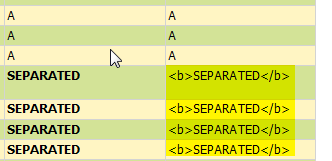
Report Results with Markup
In order to convert a regular field into HTML Markup supported field in SSRS,
Imagine you have a report with following fields. (The one highlighted in yellow is not formatted). Don’t get confused with 2 Details columns.

Report Fields as an example.
To convert a regular field into HTML markup supported filed,
- Delete the field from the column.
- Right click on the blank column which will display a menu.
- From the menu select “Create Placeholder”

Create Place Holder in the context sensitive menu
- A placeholder properties window will be displayed. Enter the label name and select the value from the dropdown list.
Make sure you select “HTML – Interpret HTML tags as styles”. -
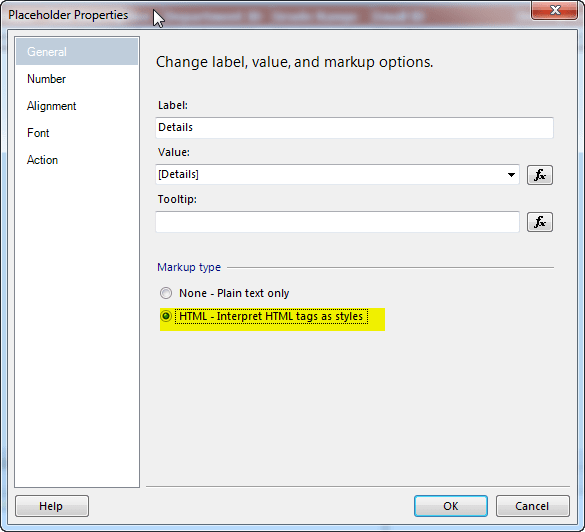
Place Holder Properties Dialog box
That’s it, run the report you will see the html elements.

 Devakumar Sai Chinthala