I have downloaded all of my code in a defined location let’s say c:\saiworkingfolder.
Over a period of time the size of that folder has grown up.
Due to the size limitation on the hard disk. I had to change the local path in TFS.
To do that, open visual studio (mine is 2012),
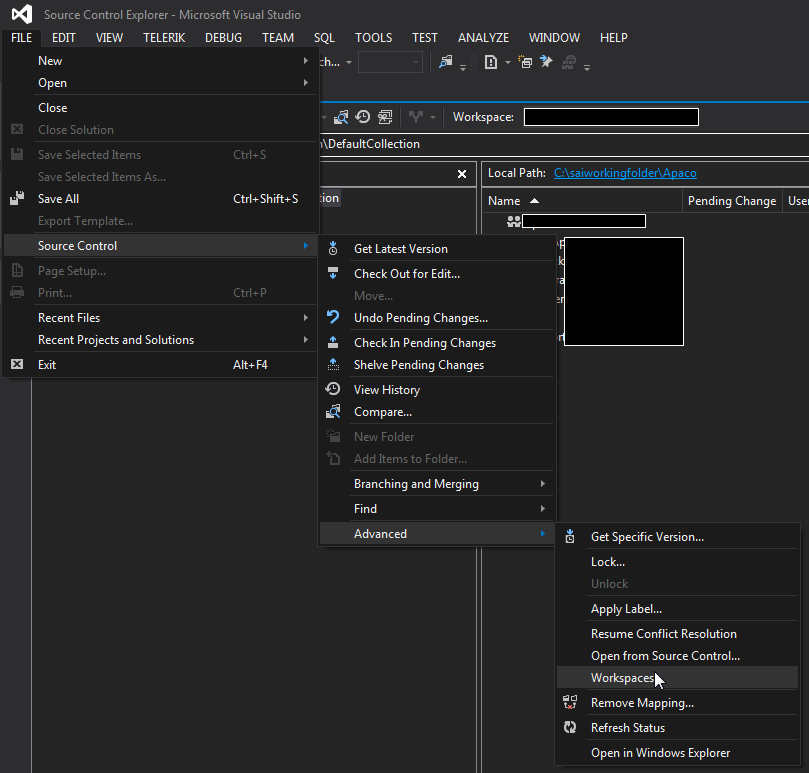
go to File -> Source Control -> Advanced -> Workspaces
Manage Work spaces window will show up, select the work space and click on “Edit”

Select a new folder and click on “OK’.

 Devakumar Sai Chinthala